Control Room
The Control Room at http://<conductor>:8080/ is the fleet overview: every
registered display with its live status.

On a phone the same page stacks into a narrow layout:

What you see
Section titled “What you see”- Online / offline — live WebSocket link state plus last-seen time.
- Now playing — the current sequence item and state (playing, standby).
- Health — version, mode (local/managed), pending pairing requests.
Per-display page
Section titled “Per-display page”Click a display for its own admin page — the same capabilities as the on-device web admin, served by the conductor:
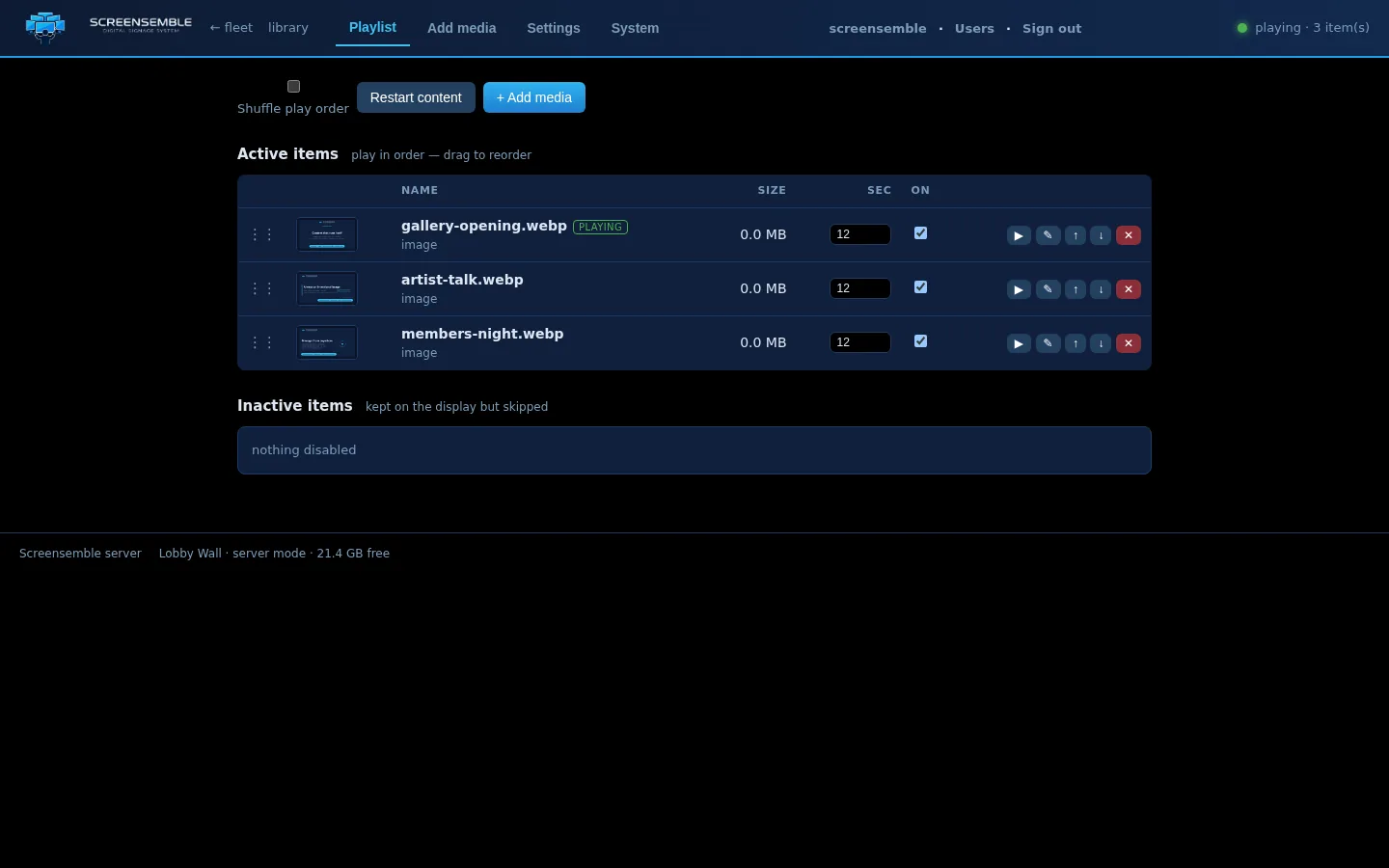
- Playlist view with reorder, enable/disable, durations, and schedules.
- Content upload to that display (files also land in the conductor library).
- Commands: play, pause, stop, restart content, rescan.
- Device actions: unpair, and (where supported) sleep/wake/reboot.
Remote commands
Section titled “Remote commands”Commands travel down the persistent WebSocket the display holds open — no inbound ports needed on the display network.